If you’ve ever explored the Roblox Discover page, chances are you’ve seen (or possibly even played) bothAdopt Me!andArsenalat least once. And while these experiences are two of the most popular on the entire platform, a collaborative project between the two of them would seem strange—considering one is aFPSand the other is an RPG—but you may be surprised to learn that one does actually exist!
How to unlock the Anna skin in Arsenal
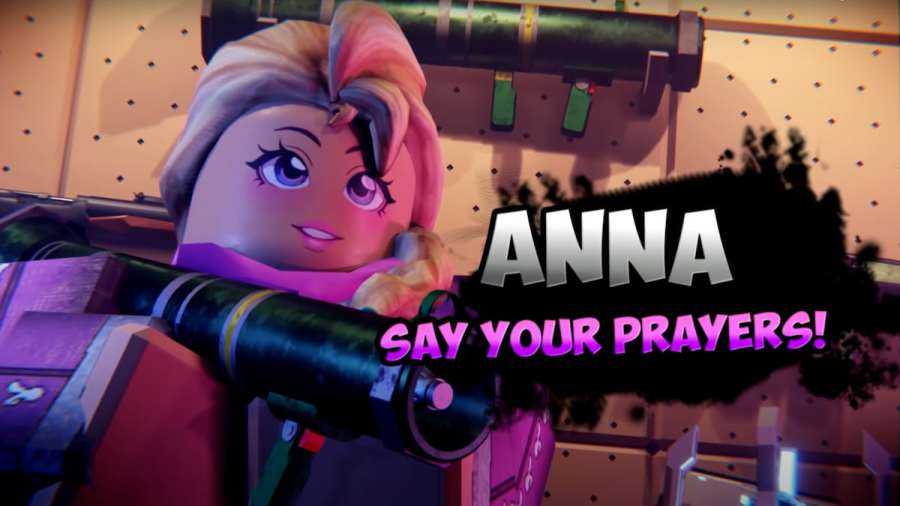
Anna is a fan-favorite NPC from Adopt Me! who has now made her way into the fast-paced (and exceptionally more dangerous) world of Arsenal. To unlock Anna, all you need to do is enter a secret code. As soon as you do, you will unlock her exclusive skin! For a quick walkthrough of this proccess, continue reading below.
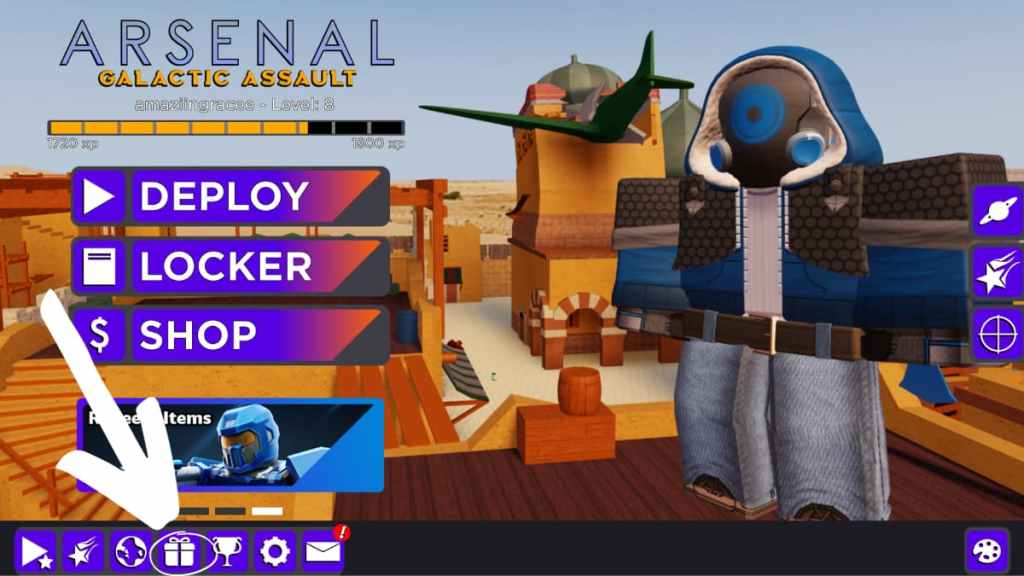
To get started, load into Arsenal and select thepresent iconthat’s located at the bottom of the screen. Doing so will open the codes menu.
Related:Arsenal Codes | Roblox – Free Skins & Announcer Voices!
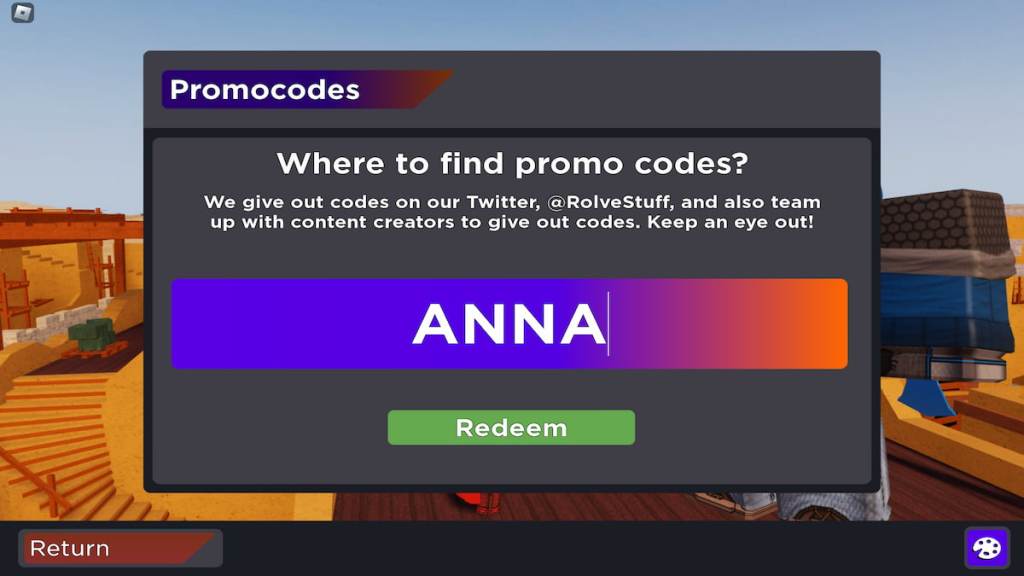
Now, simply typeANNAinto the text box that appears and pressRedeem.
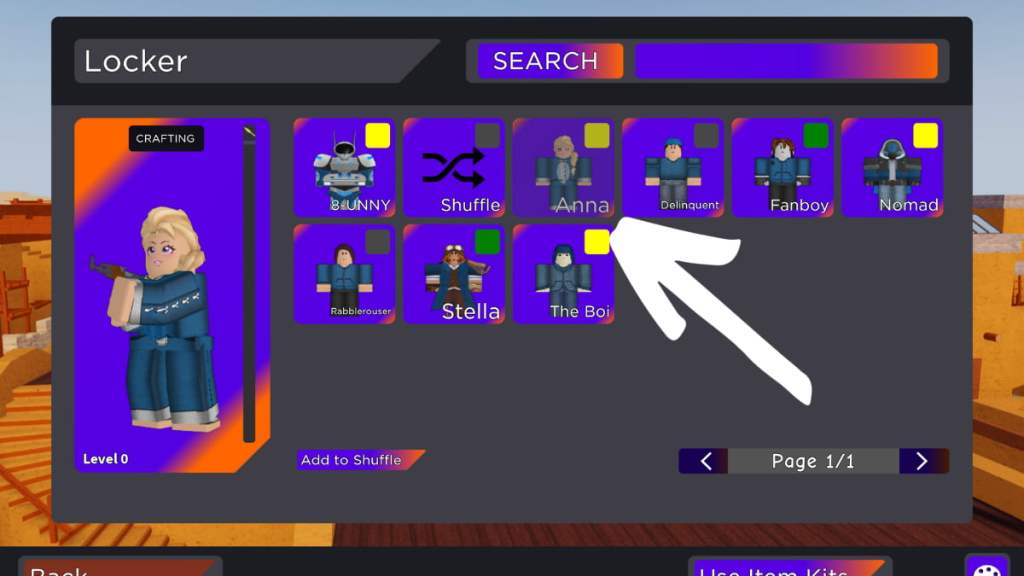
You have now unlocked the Anna skin! To equip her, return to the main menu and selectLocker. Then, simply select Anna from your inventory. When you return back to the main menu screen, she should be equipped to your character.
End
That’s it for this quick guide on how to unlock Anna in Arsenal. It’s unknown how long this code will remain active, so be sure to claim it sooner rather than later if you’re interested. There was also a pretty cool and humorousYouTube videoposted to announce Anna’s debut; I’d suggest checking it out!
Looking for more Arsenal content? Check out some of our other guides onBest Taunts in Roblox ArsenalorBest Melee Weapons in Roblox Arsenalhere on Pro Game Guides!