The Adventure Escape Mysteries series features a host of point-and-click puzzle RPGs with an escape room vibe. If you’re playing Sweet Dreams right now, read on for my full walkthrough of all the locations and puzzles.
Adventure Escape Mysteries Sweet Dreams walkthrough
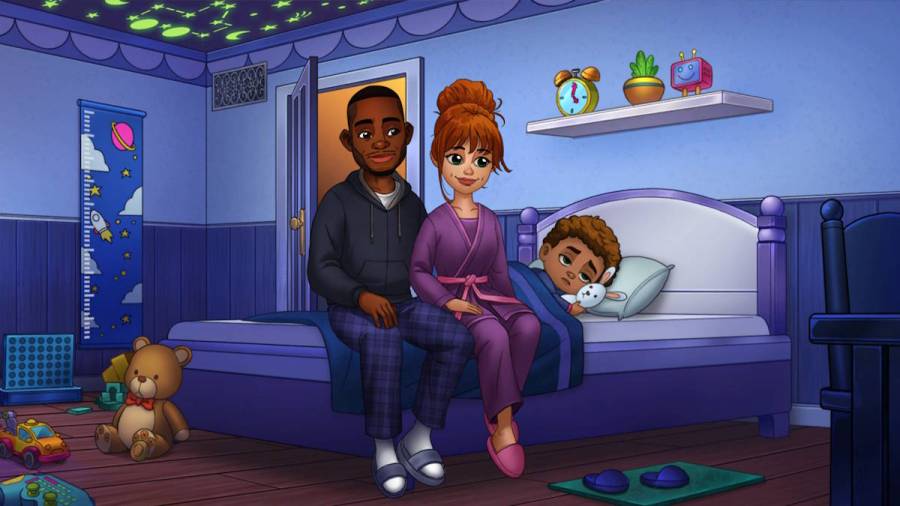
In Sweet Dreams, young Arlo is going off to sleep the night before he starts kindergarten and is nervous about his big first day. What he doesn’t know is our heroine Revi, a dream creator, has got his back, aiming to give him a great night’s sleep. But it’s her first day working the Dream Machine, so who knows what issues may crop up…
If you’re looking for some hints on a particular part of Chapter 1, go directly to the relevant explanation using the links below. This first installment of the walkthrough guides you through Chapter 1 of the game. If you’re looking for help in later chapters, click through to the links just below the table of contents for all the rest of the chapters:
Powering up the Dream Machine
Pick up theKey Card(a1), read the note from Shoku (a2), and then use the key card on the mechanical room door (a3). Click the screen (a4) to find it’s turned off and take theEmpty Batteryin the close-up.
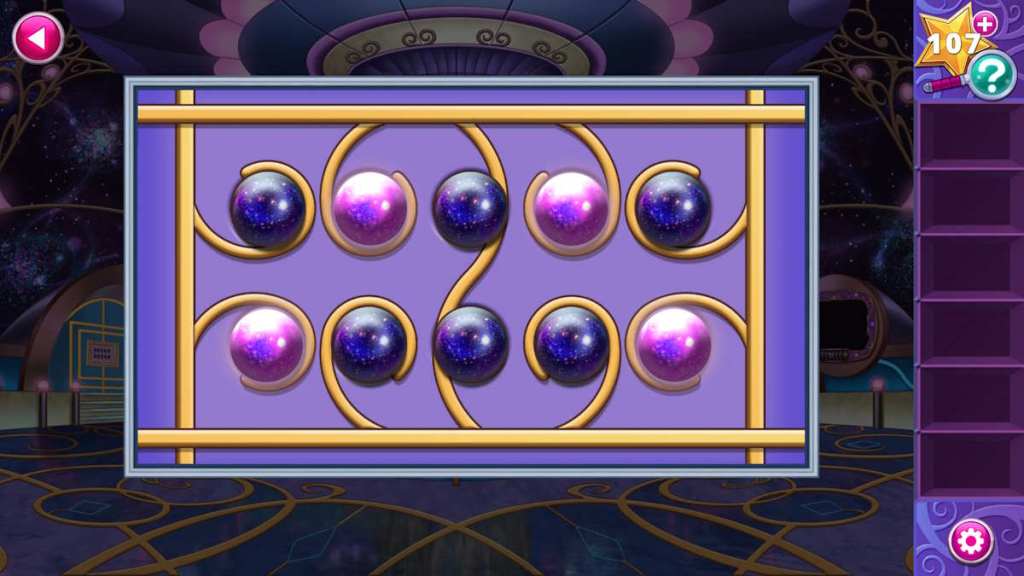
Copy the pattern of pink dots on Shoku’s note to open the door (see above), and then click the door again to head to the power generator.

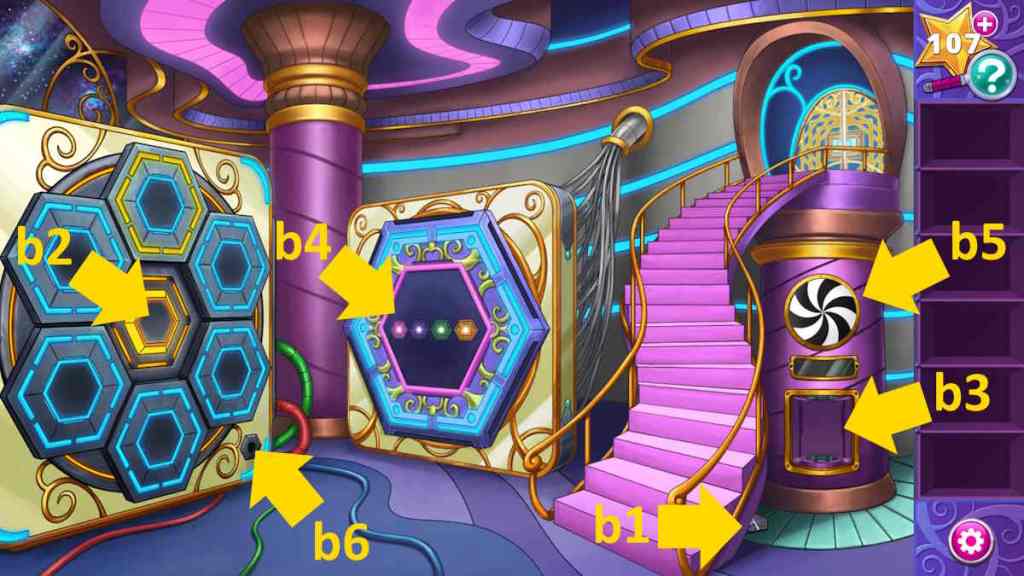
Take theHex(b1) and then click the big yellow button (b2) to open the top compartment and take asecond Hex. Select the charger (b3), add the battery to charge it, and receive theCharged Battery.
Return to the screen (a4), add the charged battery, and make a note of the brain power symbols (above). Head back to the generator and add this combination to the lock (b4) by clicking the colored buttons. What you need to get right is the number of points on the objects, which ispink 8,purple 5,green 6, andyellow 4. Once complete, you’ll get aKeyand reveal a new puzzle behind this one.
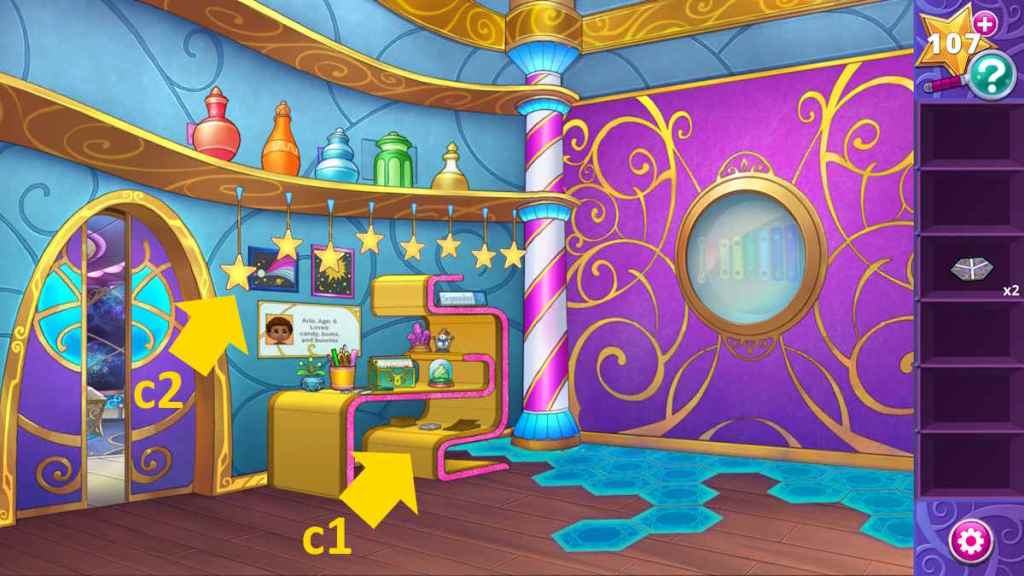
Go back to the Dream Machine room, use the key to open the door (a5), and go through it to an office. Select the desk (c1) for a close-up, take thethird Hexfrom the chair, the Console Instructions from the green box, and note the date (September 9) and the other details about Arlo (age 5, etc.).
Return to the power generator and add the three tiles to the puzzle on the wall (b4). Align the tiles so that they look like the image above, and thenthe power will be back on.
Related:Haunted Hunt Walkthrough (Adventure Escape Mysteries)
Programming the Dream Machine
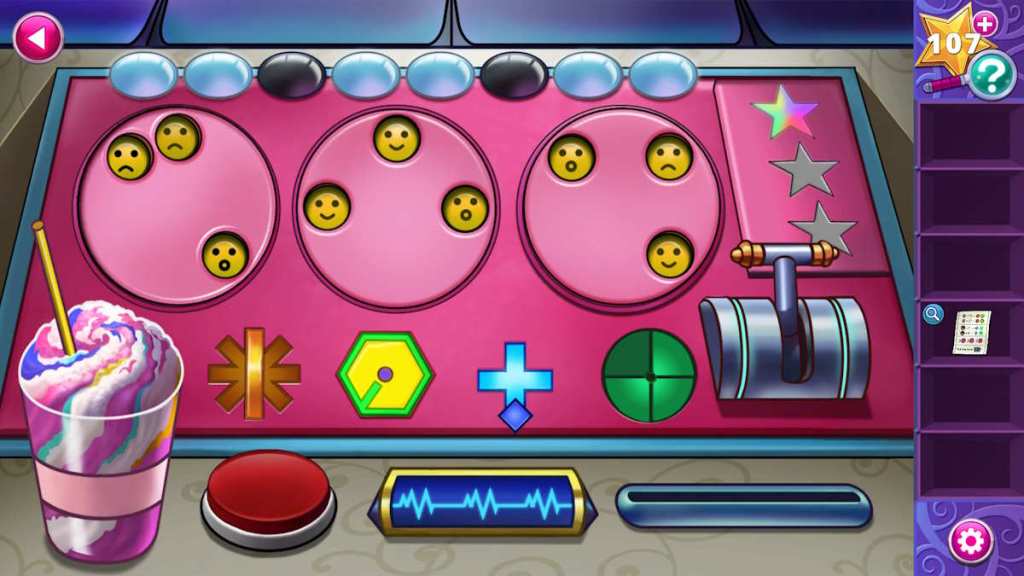
Go to the Dream Machine, click the console (a6), and input the instructions exactly as you find them on the console instructions sheet. Use the blue lights to help you make your first choice, bubbles or lines around the machine (a2) the second, and get the right number of facial expressions for the third (you’ll know when that is correct because the faces will turn yellow). Now, pull the handle on the right tolight the first starand get more instructions.
For the second set of instructions, you need to check the fan in the power generator (b5), and Arlo’s age on the desk in the office (c1, which is five), while the faces work in the same way as they did before. Set the machine as you see below, and pull the handle tolight the second star.

This time you get a set ofDream Stripsfrom the machine. Select the machine to the left of the console you just used (a7), add the strips, and construct the dream image (see above). Note that the button at the bottom allows you to rotate the image, which you’ll need to do to place some of the pieces correctly.
Once that’s complete, click the console (a6) once more once you get thefinal set of instructions. This time you need the date (September 9), the number of stars above the desk in the office (c2, which is eight), plus the usual smiley face game (see the full answer below).
Now you may pull the switch to get the final star and turn on the machine. Click the big red button on the console (a6) next. What could go wrong…? You’ll receive theEmergency Procedures.
Emergency procedures
Select the now broken console (a6) and take theMetal Rod. Head into the office and use the rod to break the glass (c3), giving you access to the xylophone. Use your instructions to work out the pattern of colors to play on the xylophone (look at what would be the next color down, left to right, to find the sequence. So play the following:
The wall moves away, giving you access to the dreamscape entrance. Grab theLightstone(d1) and theSticky Note(d2), then click the cupboard (d3) to open it to take theCrank, and open the other cupboard (d4) to take someKeys.
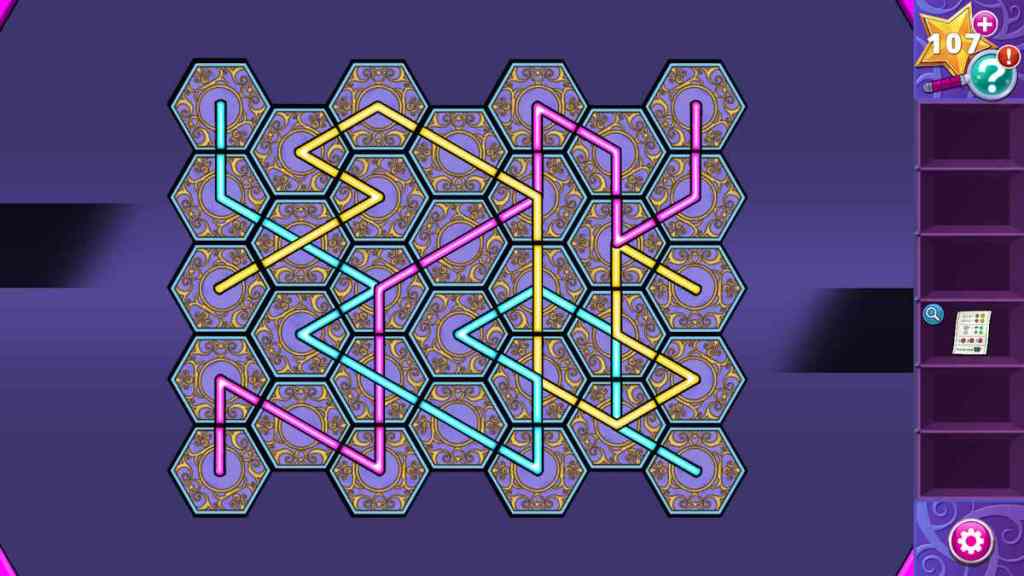
Now select the puzzle on the right (d5). You need to open the doors, click the moon shape, and then see which door to open next. If you want the solution, click the moon shapes in the following order (see below):
Once complete, take thesecond Lightstone. Select the dark floor panel (d6) and get somemore Keys(you should have five now).

Go back to the power generator and use the crank to operate the machine on the left (b6). Now you can click the yellow central button (b2) to open up the other compartments and take moreSticky Notes(three now), aLadder, andmore Keys(nine in total). You’ll have one cubby that requires a gem to open, but all the others should be openable.
Related:Echo Bay Murders – Chapter 1 Walkthrough
Entering the dream
Now that you have a ladder, return to the office and use it to access the jars (d7), where you’ll find two moreSticky Notes(behind the red and blue jars). Make sure to knock all the jars down though, as you’ll also findmore Keys(15 now), and athird Lightstone. Also, grab theCloud Gem(d8) from the top of the stairs.
Head back to the broken console, use the cloud gem to open the compartment on the right (a8), and take theMoon Gem. Use the moon gem to open the secret drawer you found behind the jars (d7), and take theStar Gem. Add the star gem to the top-left section of the brain console (a4), and take theCelestial Gem. Now you can use the celestial gem on the final cubby hole (b2) to open it and find afourth Lightstone.
Add the four Lightstones to the door to the dreamscape (d8) to begin a keys and locks puzzle. Add your 15 keys in the puzzle close-up to begin and then look at your sticky notes to work out which keys need to go where. They’ll give you a whole row and two full columns of information, plus a diagonal and a square. If you want the solution, see below:
Now you can head through the door andenter Arlo’s dream!
To continue this walkthrough here at Pro Game Guides, click through to mySweet Dream Walkthrough Chapter 2 - Adventure Escape Mysteries!

