In Project Zomboid, you can find Gas Stations outside of nearly all towns in the game. As Gas Stations are a little far out from most homes, use these tips to never find yourself without gas.
We’ve outlined where to look, including some helpful information on how to use a map made by the game developers.
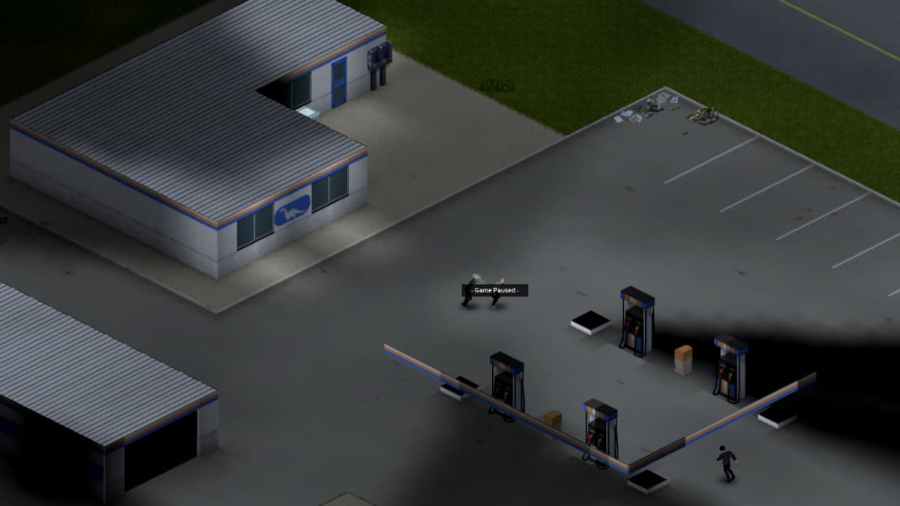
Gas Station locations in Project Zomboid
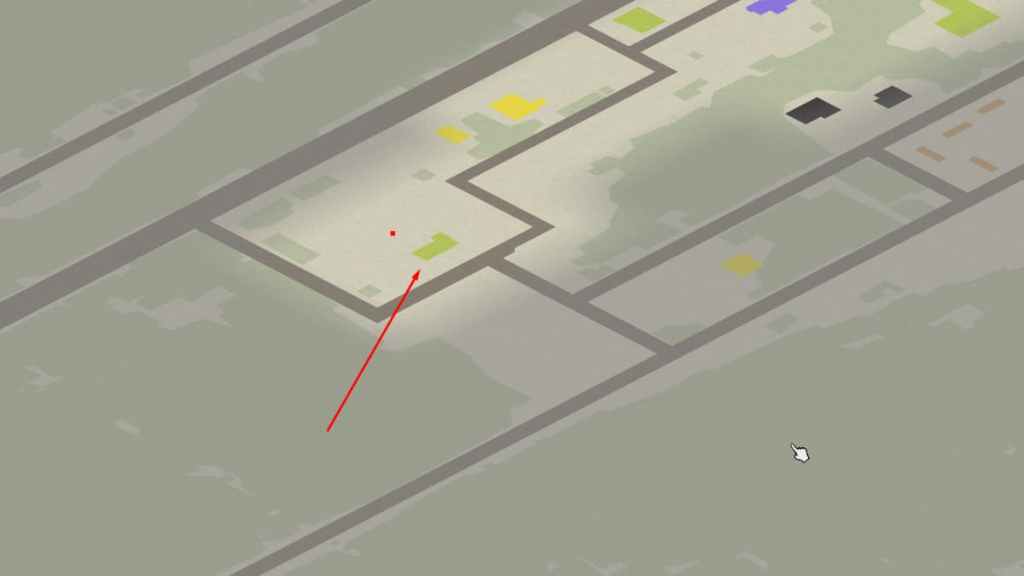
The most efficient way to find a Gas Station in Project Zomboid is just to use theofficial Project Zomboid map, hosted by the developers of the game. It allows you tosee any building, especially Gas Stations. The map is very detailed and gives you all the help you need, even with other building types.
To find Gas Stations, look for green icons on the map.Green iconswill display both retail and commercial buildings in the game. For example, the location shown in the photo is the Gas Station located in Muldraugh. Notice how the icon is green andoutside of the town. This tends to be the case with most Gas Stations, as well as them typically having a signature L shape to their building.
Related:Where to find Generators in Project Zomboid
Overall, it’s not hard to find Gas Stationsin Project Zomboid, look forgreen iconson the map near the entrances of towns and inside them. If you still need help finding them, we again highly recommend using theofficial Project Zomboid online map.
How to fill gas cans in Project Zomboid
To fill a Gas Can in Project Zomboid, you will need to eithersiphon gasfrom a car or generator. You can also find aGas Stationand use the gas pump. Once you find the station, you will need to locate the fuel pump andright-click it. Doing so will show you a list of options. Click the one that saysFill Gas Can, after which your character will then start to fill it up. The same process of right-clicking applies to siphoning.
Want more information on surviving the zombie apocalypse? If so, check outWhat does discomfort mean in Project Zomboid?on Pro Game Guides.
